Appearance
How to Choose a Personal Knowledge Management App
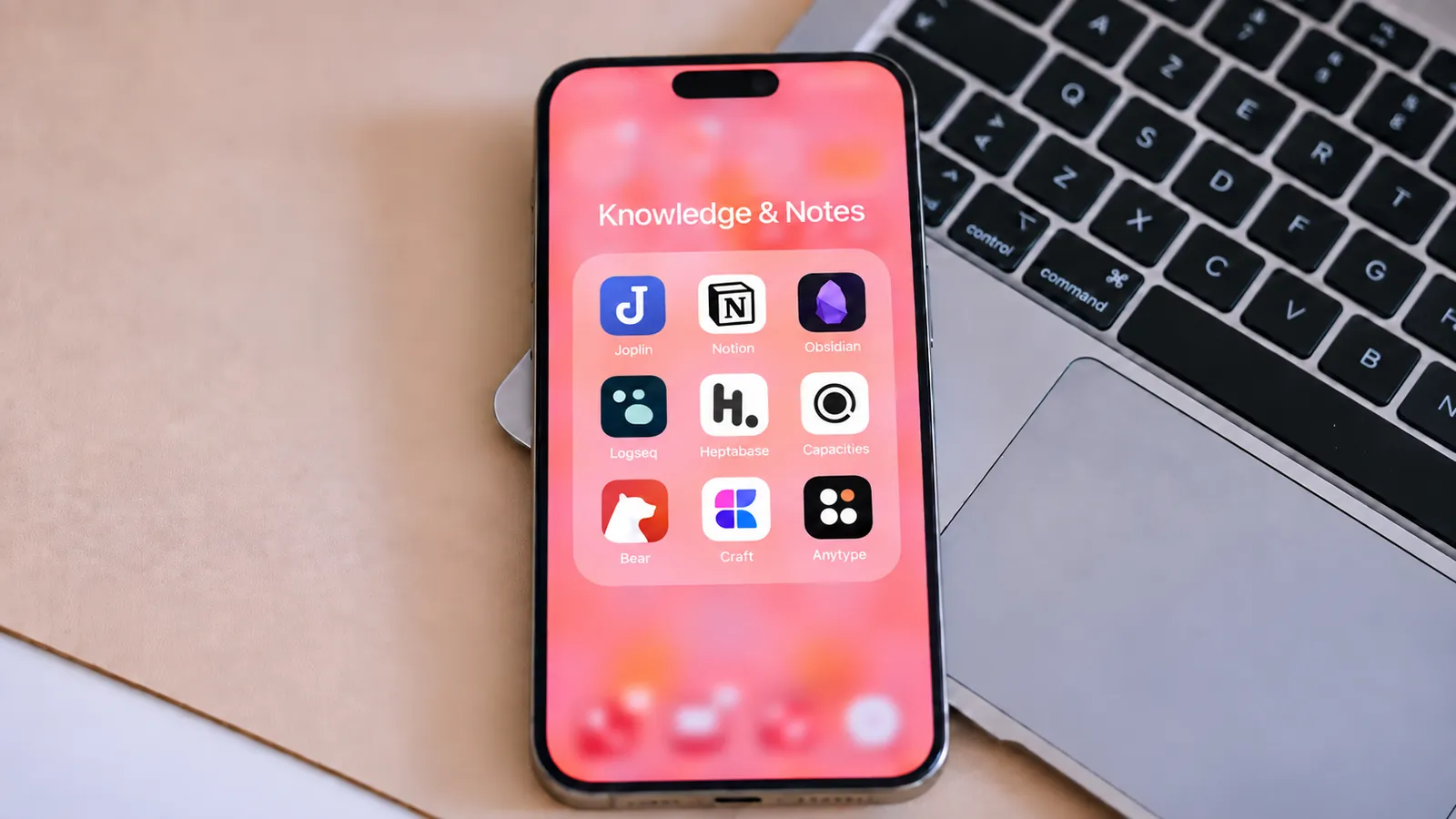
Obsidian, Notion, Capacities and Jotaid answer one question differently: what is the thing your knowledge is made of? Everything else follows from that answer.
Key takeaways
- What decides whether a knowledge system fits is not a feature but the shape of its unit: a file (Obsidian), a row with properties (Notion), a typed object (Capacities) or a concept (Jotaid).
- Start by writing one sentence about something you actually need to do repeatedly, then ask which unit can hold it.
- Test with about fifteen real notes, including one that contradicts another. Every app is delightful at twenty notes.
- Run the export on day one, while leaving is still cheap.
You have probably done this before. You read about an app, you like the demo, you spend a weekend importing. Three weeks later the enthusiasm has worn off and you are back to whichever app you actually reach for, carrying a slightly guilty folder of notes you no longer open.
It is easy to read that as a discipline failure. Usually it is a fit failure, and it happens for a specific reason: you evaluated the app on its features, and the thing that decides whether a knowledge system works for you is not a feature. It is the shape of the unit. What is the smallest thing your app treats as a real object with a life of its own — a file, a row in a database, an entity, a concept? Everything you will be able to ask of your notes in two years is downstream of that answer, and none of it appears on a pricing page.
This article is a way to make that decision deliberately. It looks at four apps as four answers to that one question, gives you a test you can run in an afternoon on any of them, and names the three ways people most often pick wrong.
Start with the work, not the app
Before you compare anything, write one sentence describing something you actually need to do repeatedly. Not "organise my notes" — that is a wish, not a task. Something with a verb and an object.
A few real shapes it might take:
- I want to compare how four papers each define the same term.
- I want to turn six months of scattered observations into an argument I can defend.
- I want to trace a decision we made back to the interview where somebody said the thing that caused it.
- I want to stop re-reading the same book because I cannot remember what I got out of it.
These look similar and they are not. The first needs sources kept distinct and comparable — you must be able to hold four definitions side by side without them blurring. The second needs material to gather and a place to write the synthesis, which is a different operation from collecting. The third needs a chain of evidence that survives a year. The fourth mostly needs good capture and better retrieval.
An app that is excellent at one of those can be genuinely bad at another, and the marketing page for all four will use the same words.
Then note your constraints honestly, because they eliminate options faster than any feature does:
- Which devices. Not "which do I own" — which one is in your hand when the thought arrives.
- Alone or with others. A shared workspace and a private thinking tool are different products; a few apps do both and most do one well.
- How much assembly you enjoy. Some people find configuring a system genuinely rewarding and will maintain it for years. Some people want the structure to already exist. Both are fine, and answering dishonestly here is the single most common way people end up with an abandoned vault.
- Where the data has to live. Local files, a hosted workspace, or sync you control.
That sentence plus those four answers is your shortlist. It is usually shorter than you expect.
Four answers to "what is a note made of"
Each of these apps is coherent. None of them is a worse version of another — they start from different assumptions about what the smallest meaningful unit is, and almost everything else is a consequence.
For each one below: what its makers say it is, what that shape makes easy, and what it makes harder. The first is quoted from their own site or documentation and linked so you can check it. The second and third are my reading, not theirs.
A file — Obsidian
Obsidian's own front page states the commitments three ways: "Your thoughts are yours… Obsidian stores notes privately on your device, so you can access them quickly, even offline. No one else can read them, not even us." — "With thousands of plugins and themes, you can shape Obsidian to fit your way of thinking." — "Obsidian uses open file formats, so you're never locked in. You own your data for the long term." (obsidian.md)
The unit is a file on your disk. Links between files are the connective tissue, and a plugin ecosystem lets you build most workflows on top of that base.
What the shape makes easy. Ownership that needs no trust. Your notes open in any text editor, back up with any tool, and survive the company. If you want a workflow nobody sells, you can usually assemble it — and the tooling assumes you might.
What it makes harder. A file is a container, not a claim. Two notes can both be "about onboarding friction" without the filesystem having any opinion about what runs between them beyond a link you typed yourself. Composability is also work: the vault that does exactly what you want is one you maintain. Some people find that genuinely enjoyable, and for them this is the correct answer. (I've written separately on what a file-shaped note can and cannot be asked.)
A row with properties — Notion
Notion's documentation is precise about the structure: "Databases in Notion are collections of pages." Every item you enter into a database is itself a page you can open and write in; properties "contextualize, label, and augment any database item with things like dates, status, and links"; and the same collection can be viewed as a table, list, calendar or chart. (Intro to databases)
The unit is a page that is simultaneously a record. A reading library where every paper carries its authors, year, status and your notes is the native case.
What the shape makes easy. Anything where the metadata is the point. Filtering, sorting, rolling up, and asking "show me everything unread from 2024 tagged methods" — those are one-click questions here and awkward almost everywhere else. It also crosses into work other people can see, which most tools in this article do not attempt.
What it makes harder. Properties answer questions you thought to ask in advance. You decide the schema before you know what you are looking for, and a thought that does not fit the columns tends to end up in a page body where the database cannot reach it. There is also a floor of setup below which the structure does not pay for itself.
A typed object — Capacities
Capacities describes its model in one sentence: "Capacities turns your ideas into connected objects, not files buried in folders. Link anything to anything, and find what you need the moment you need it." The object types are yours to define — "A meeting becomes a Meeting object. A book becomes a Book object… Create the object types you need as you go." (capacities.io)
The unit is a thing in the world with a type. A book, a person, a project. Each has its own structure and its own page, and links run between them.
What the shape makes easy. Questions of the form what do I know about X — where X is something that exists. If your material naturally clusters around recurring entities, this fits your head with very little translation.
Worth noting, because it becomes relevant later in this article: Capacities does not stop at the links you made by hand. Its Related Content feature goes looking for connections you never drew — the same page describes how, and §5 quotes it where the comparison matters.
What it makes harder. Not everything worth keeping is a thing. An argument, a tension between two findings, a half-formed suspicion — these have to be filed as some type or other, and choosing that type is a decision you make before you understand what you have. Object types also tend to accumulate.
A concept — Jotaid
The one I build. The unit is the idea itself: [[perceived value]] is a record with its own definition and its own page, and the notes that mention it are its evidence rather than its home.
What the shape makes easy. Questions about ideas rather than about documents — has this concept changed meaning since March, which two concepts keep arriving in the same notes, what supports the connection between them.
What it makes harder. Everything Notion's shape is good at. There is no property schema, no board, no roll-up, no collaboration. It is macOS and iOS only. And the model asks something of you up front: if you do not name concepts, there is nothing for the rest of the machinery to work on. §5 below is where I try to be specific about who that suits and who it does not.
The test: one real question, one afternoon
Four descriptions will not settle it. What settles it is putting the same material through two or three of them and noticing where the friction lands.
The mistake is to test with an empty library. Every app is delightful at twenty notes. The problems show up at five hundred, and you cannot wait that long to find out, so the next best thing is to bring material that already has the properties of a large library: mixed sources, an argument in progress, and at least one note that contradicts another.
Assemble about fifteen notes on something you are genuinely working on. They must include:
- two or three source excerpts — a quote, a passage, an interview line, with enough context to be readable in a year;
- your own interpretation of at least two of them, written as a sentence you would defend;
- one example that does not fit the interpretation. This is the important one, and it is the one people leave out.
Then run the same five moves in each candidate.
1. Capture, timed. Add a new observation mid-task. Count the seconds from "I want to write this down" to "it is written and I am back to what I was doing." Anything over about fifteen seconds is a tax you will pay several times a day, and it is the single best predictor of whether you will still be using the app in a month.
2. Retrieval without the title. Come back and find one of those notes — but you are not allowed to remember what you called it. Search for the idea, not the words. Notice whether the app can only match strings you actually typed.
3. Connect two things, and say why. Link the contradicting example to the interpretation it threatens. Now look at what the app stored. Is there anywhere to record why it matters — that this one undercuts that one — or does the record collapse to "these two are linked"? Come back to this answer in a month and see if you can still reconstruct your reasoning from what the app kept.
4. Write the synthesis somewhere it belongs. Gather the relevant notes and write a short answer to your original question — three sentences, including the part you are unsure about. Then ask where that paragraph now lives. In a note like any other? Attached to the thing it is about? Somewhere you will pass by again, or somewhere you will have to remember to look?
5. Export, and open it somewhere else. Export the whole set and open the result in a plain text editor. Check what survived: the words almost certainly did; the structure may not have; attachments frequently do not. Do this on day one, not on the day you want to leave.
Pay attention to where the effort goes, not how much there is. Effort spent describing your material is usually repaid. Effort spent describing the app — configuring, choosing plugins, deciding a schema — is repaid only if you enjoy it or the structure earns it back later. Both can be worth it. Neither is free.
Three ways people pick wrong
Choosing from a feature comparison. Feature tables make products look like they differ by increments, when the real differences are at the level of the unit. "Has backlinks" is true of everything in this article and tells you nothing about whether your system can answer a question you have not already answered. If two apps are separated only by the length of their feature list, you are reading the wrong axis.
Choosing from somebody else's system. The beautiful vault in the video took two years and belongs to somebody whose work is not yours. What you are watching is the artefact of a practice, not the practice, and copying the artefact skips the part that made it work. Take the question they were answering, if it is also yours. Leave the folder structure.
Answering "do I enjoy configuring things?" the way you wish were true. This is the one that produces abandoned vaults, and it is hard to be honest about because the answer feels like a verdict on your character. It is not. A tool you will actually maintain is better than a better tool you will not. If the last three systems you built collapsed while you were still tuning them, the signal is not that you need more discipline — it is that you should pick something whose structure already exists.
Where Jotaid fits, and where it doesn't
Look back at the four sentences in the first section. Jotaid was built for the first two — comparing how several sources treat the same idea, and turning scattered observations into something you can defend. If your sentence was the third or fourth, read the end of this section first.
Concepts are records, not strings. Type [[perceived value]] in any note and that concept becomes a page with its own definition, its own modification date, and a list of every note that mentions it. The practical effect shows up when a word turns out to be two words: you notice halfway through a literature review that some authors mean confidence in accuracy and others mean willingness to rely on something despite uncertainty. In a file-shaped system you would write that distinction into whichever note you were editing at the time. Here it goes on the concept, where you will meet it again on the way in. (Creating nodes)
Co-occurrence is counted, not guessed. Every pair of concepts in a project gets a number: how many notes mention both, as a share of the notes that mention either. If user control turns up in nine notes and trust in eleven, and seven of those are the same note, then they share seven of the thirteen notes that mention either. That is a fact about your material, available before any model has an opinion about it. What it gives you is not a conclusion — it is a reading list of seven notes and a reason to open them. (Co-occurrence and matrix)
Themes hold the part you concluded. A theme is a canvas where related notes sit together and a note in its own right, so the paragraph you write after reading those nine has somewhere to live that is not a file called thoughts-2.md. (Themes)
An honest comparison, since this is the closest call. Automatic discovery is not unique to Jotaid — Capacities does it too, and says so on its front page: Related Content "scans your notes and surfaces places you wrote about something but never linked." The difference is what gets compared. That feature looks for a thing you wrote about without linking. Jotaid's matrix compares pairs of concepts across the whole project, which lets it surface the case where you linked both concepts plenty of times, just never to each other. Those are different questions and there is no rule saying you must prefer one. If your knowledge is mostly about entities, the entity-shaped answer will feel more natural, and you should use it.
Don't choose this one if
- You need to work with other people. There is no collaboration, no shared workspace, no comments. Notion exists and is good at this.
- You want files on disk. Notes live in a database with iCloud sync and export as Markdown; that is portability, not the same thing as a folder you can point another editor at today. If "open file formats, never locked in" is the property you care most about, Obsidian is answering your question directly.
- You are not on Apple hardware. macOS and iOS only. No web, no Windows, no Android.
- Your notes are mostly tasks, journals, or reference lookup. The machinery has nothing to do and you will feel its weight without its benefit.
- You do not want to name things. This is the real prerequisite. Concepts do not appear on their own — you type
[[ ]]when you notice a recurring idea, or you let AI propose candidates and you approve them. If neither appeals, nothing downstream has any input to work on, and the graph will stay as empty as it deserves to be.
What's free, and where the line sits
One project — the Inbox — with nothing cut out of it: the editor, wiki links, backlinks, the graph, the co-occurrence matrix, link predictions, the canvas, iCloud sync, and an on-device semantic index that powers meaning-based search and tag suggestions without sending anything anywhere.
The line is drawn at who makes the links. Analysing a network you built by hand is free — everything above runs on the [[ ]] you typed. Having the AI go and find what to link is Pro, as are multiple projects, bulk moves, and stacking more than one filter at a time. (Free vs Pro)
When AI is involved it runs on an API key you supply, with requests going to the provider you configure — a privacy and cost decision rather than a discount route: the key does not unlock Pro, Pro unlocks the ability to use the key. (AI features)
There is also an optional MCP connection on macOS for external AI agents — Pro, off by default, and read-only. Once switched on it can read every project, including ones you create later, until you narrow it to the ones you choose. It has no tool that can write to your library.
Test the exit before you move in
Your notes will probably outlive your choice of app. That is not pessimism about any particular company — it is just the observed lifespan of software against the lifespan of a body of work you spend years building.
So run the export on day one, while leaving is still cheap, and check three separate things, because they fail independently:
- The words. Almost always fine. This is the part everyone checks, which is part of why it rarely disappoints.
- The structure. Open the export somewhere else and ask what is still legible. Links, properties, groupings and views are the app's way of holding your material; some of that survives as text, and some of it turns out to have been a feature of the software rather than a property of your notes.
- The attachments. Images, PDFs, audio. These are the most common casualty and the least often checked, because a text export looks complete right up until you need the screenshot.
Apps state their own position on this and it is worth reading. Obsidian's is structural, in the sentence quoted earlier about open file formats: your files are already the thing sitting on your disk, so there is nothing to extract.
Jotaid's answer is narrower and I would rather write it here than let you find out later. Notes live on your devices with iCloud sync, and Markdown import and export cover the text and its images. Other attachments, such as PDFs, do not travel in an export — the complete copy of everything is the encrypted backup rather than the Markdown export. If you are evaluating it, export a note with a picture and a PDF in it on the first day and see for yourself. (Import and export)
For every app in your shortlist, do the same. Not the marketing claim about portability — the actual file, opened in something else.
Choose for the question you keep asking
There is no best personal knowledge management app, which is an unsatisfying thing to say at the end of an article that just spent three thousand words comparing four of them. But the four are not competing to be the same thing well. A file, a row with properties, a typed object and a concept are four different bets about what your knowledge is made of, and the right one is the one whose bet matches the work you keep coming back to. If your shortlist is longer than four, 10 Best Obsidian Alternatives in 2026 compares ten apps by what each one changes, with the prices checked on each official site.
So the test is not which app has more. It is: take the sentence you wrote at the start, and ask which unit can hold it. If your sentence was about entities you keep encountering, the object-shaped answer will feel like it was built for you. If it was about records and status and collections you need to filter, the database answer is not a compromise — it is correct. If it was about ownership and outliving the tool, the file answer has been right for thirty years and will be right for thirty more.
And if your sentence was about ideas — the same concept meaning two different things across four papers, six months of observations that ought to add up to an argument — then the unit worth having is the concept itself, and that is the bet Jotaid makes.
Whichever way it goes: bring fifteen real notes, include the one that contradicts you, and give it an afternoon.