Notes connect, ideas grow

笔记相连,灵感相生

筆記相連,靈感相生

Ideas as concepts, not just notes — from a quick capture to a connection you hadn't seen. No plugins to install, no system to build first.

笔记不只是记录,更是关联的概念——从随手一记,到一条你从没看见的关联。不装插件,不用先搭系统。

筆記不只是記錄,更是相互關聯的概念——從隨手一記,到一條你從沒看見的關聯。不必裝外掛,也不用先搭建系統。

Free to start · Mac + iOS · No account needed

免费起步 · Mac + iOS 双端 · 无需注册账号

免費開始使用 · Mac 與 iOS 都能用 · 不需註冊帳號

Not currently available on the mainland China App Store.

暂未在中国大陆区 App Store 上架。

暫未在中國大陸區 App Store 上架。

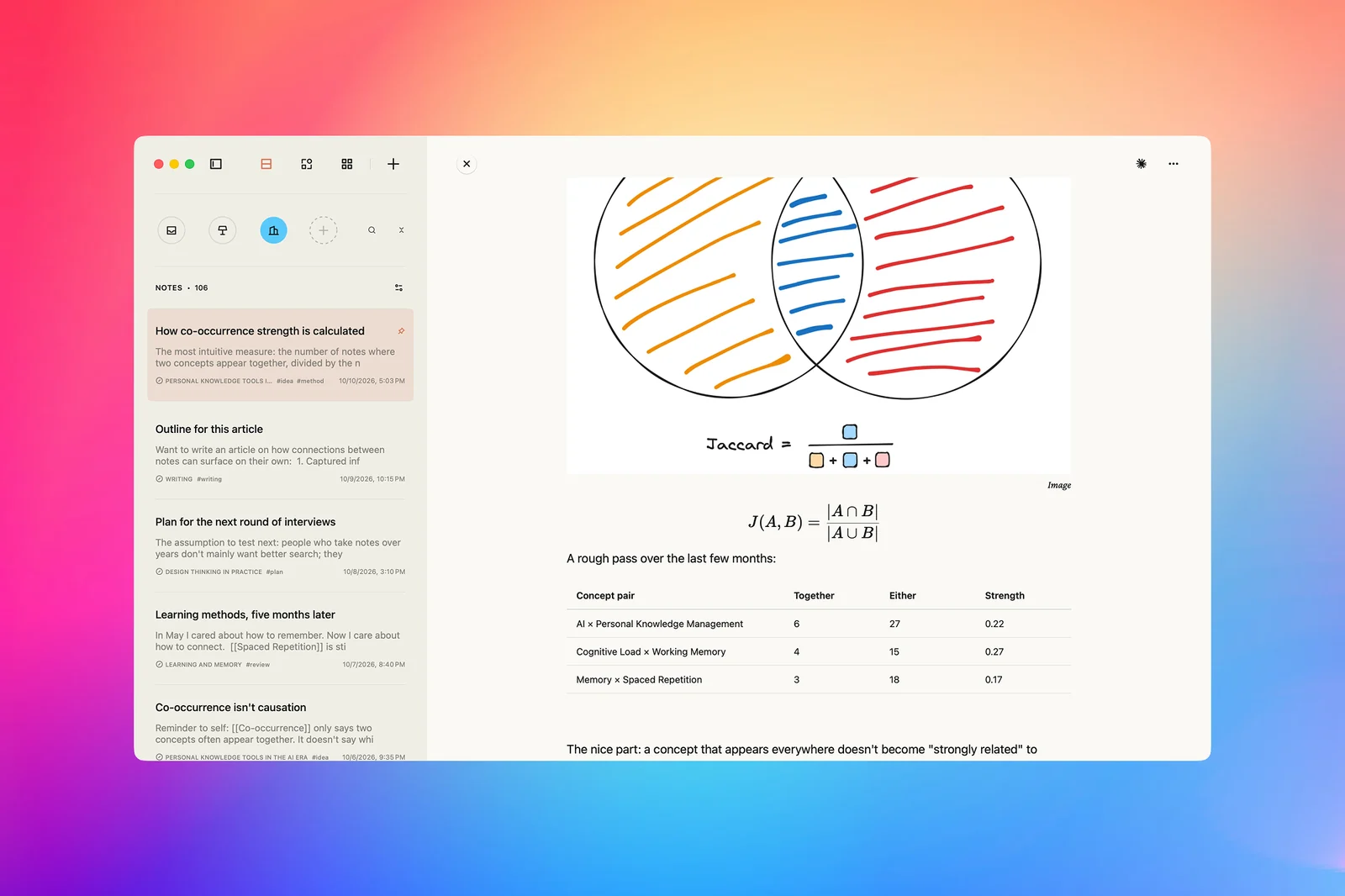
Jotaid markdown note app with backlinks and knowledge graph running on macOS and iOS

Where note systems stall

笔记系统通常卡在三个地方

筆記系統通常卡在三個地方

…and what Jotaid does at each point.

看看 Jotaid 在每一处是怎么做的。

看看 Jotaid 在每一處是怎麼做的。

1Capture → Develop收集 → 生长收集 → 生長

Saved a lot, but little grew out of it?

存了很多,却很少有想法从里面长出来?

存了很多,卻很少有想法從裡面長出來?

Saving something feels like progress. But knowing where a note is isn't the same as knowing what's in it.

收藏的那一刻很有成就感,可知道一条笔记存在哪儿,不等于读懂了它。

收藏的那一刻很有成就感,可知道一則筆記存在哪裡,不等於讀懂了它。

Everything lands in one Inbox — then it gets somewhere to go.

先一股脑放进 Inbox,再慢慢给它们找去处。

先一股腦放進 Inbox,再慢慢替它們找去處。

  • Capture without deciding where. A global hotkey on Mac, the iOS share sheet, the clipboard, PopClip or Raycast, even whole AI conversations — all go straight to the Inbox.

    记的时候,不用想放哪儿。Mac 全局快捷键、iOS 分享菜单、剪贴板、PopClip、Raycast,甚至整段 AI 对话,都直接进 Inbox。

    記的時候,不用想放哪裡。Mac 全域快速鍵、iOS 分享選單、剪貼簿、PopClip、Raycast,甚至整段 AI 對話,都直接存進 Inbox。

  • FreeRelated notes find each other. Worked out on your device by default, and labelled by where the link came from: a concept you linked yourself, or closeness in meaning.

    免费相关笔记会自己冒出来。默认就在本机算好,还会注明为什么相关:是你亲手连过的概念,还是意思相近。

    免費相關筆記會自己冒出來。預設就在本機算好,還會註明為什麼相關:是你親手連過的概念,還是意思相近。

  • Cards on an infinite canvas. Drag fragments into themes, and the grouping sharpens as you move them.

    卡片摊在无限画布上。把零散的想法拖进主题,越摆,分组越清楚。

    卡片攤在無限畫布上。把零散的想法拖進主題,越擺,分組越清楚。

  • Pro · AISmart Theme does a first pass of affinity grouping; Smart Node picks out concepts worth naming; Theme Summary reads a theme and writes back insights, open questions and “how might we” prompts. You decide what stays.

    Pro · AISmart Theme 先按亲和图帮你分出第一轮组,Smart Node 挑出值得单独命名的概念,主题总结读完整个主题,整理出洞察、还没解决的问题,以及「我们可以怎样……」式的提问。留哪些由你决定。

    Pro · AISmart Theme 先按親和圖幫你分出第一輪群組,Smart Node 挑出值得單獨命名的概念,主題摘要讀完整個主題,整理出洞察、尚未解決的問題,以及「我們可以怎麼……」式的提問。留哪些由你決定。

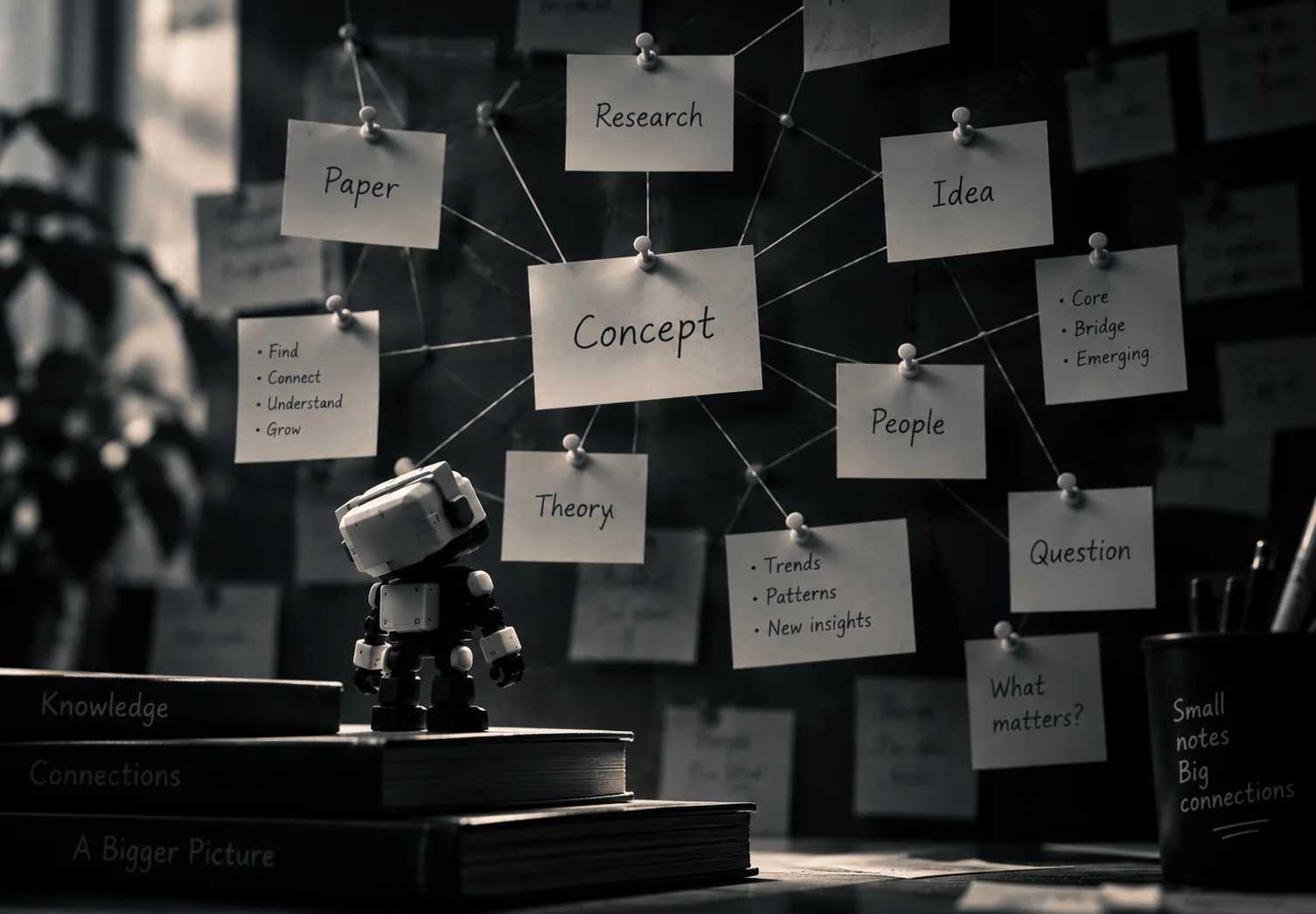
Illustration: a small robot holding a “Save for later” card beside an overflowing Inbox box of paper notes

2Connect → Understand关联 → 看懂關聯 → 看懂

You've linked everything. What has the graph told you?

双链连了一大堆,图谱到底告诉了你什么?

雙鏈連了一大堆,圖譜到底告訴了你什麼?

A graph shows that things are connected. It rarely says which connections matter, or what they add up to.

图谱能让你看到「它们连着」,却很少告诉你哪些连接要紧,放在一起又说明了什么。

圖譜能讓你看到「它們連著」,卻很少告訴你哪些連結要緊,放在一起又說明了什麼。

Nodes are concepts, not whole notes — so there's something to compute.

节点是概念,不是整篇笔记,所以关系才算得出来。

節點是概念,不是整篇筆記,所以關係才算得出來。

  • Co-occurrence matrix. Which concepts keep appearing in the same notes, clustered into groups you never tagged by hand.

    共现矩阵。看哪些概念总在同一批笔记里一起出现,还会自动归成组,不用你手动去标。

    共現矩陣。看哪些概念總在同一批筆記裡一起出現,還會自動歸成群組,不用你手動去標。

  • Roles, not just dots. Concepts that stand out are marked Core, Bridge or Emerging, and every link is scored by strength.

    不只是一个个点。突出的概念会被标成核心、桥梁或新兴,每条连接都按强弱打分。

    不只是一個個點。突出的概念會被標成核心、橋梁或新興,每條連結都依強弱評分。

  • Trends. When a concept first appeared, when it grew, and when it went quiet.

    趋势。一个概念什么时候第一次出现、什么时候多起来、又什么时候沉寂下去。

    趨勢。一個概念什麼時候第一次出現、什麼時候多起來、又什麼時候沉寂下去。

  • Link predictions. Pairs you've never linked that the shape of your network says you might — worked out without AI, for free. With Pro, AI also proposes pairs you've never linked and reasons out why they might matter.

    链接预测。有些概念你从没连过,但从概念之间的连接方式看,它们可能该连在一起——这一步不靠 AI,也免费。解锁 Pro 后,AI 还会另外找出这样的组合,并说明它们为什么可能相关。

    連結預測。有些概念你從沒連過,但從概念之間的連結方式看,它們可能該連在一起——這一步不靠 AI,也免費。解鎖 Pro 後,AI 還會另外找出這樣的組合,並說明它們為什麼可能相關。

  • Pro · AI readingA few observations, one question worth sitting with, and a next step that names a real concept. It points; the meaning is yours.

    Pro · AI 解读几条观察,一个值得你停下来想想的问题,外加一条点名具体概念的下一步建议。它只负责指出来,意味着什么由你判断。

    Pro · AI 解讀幾條觀察,一個值得你停下來想想的問題,外加一條點名具體概念的下一步建議。它只負責指出來,意味著什麼由你判斷。

The graph, matrix, trends and predictions are free. Having AI read them with you is Pro.

图谱、矩阵、趋势和预测都免费;想让 AI 陪你一起看,才需要 Pro。

圖譜、矩陣、趨勢和預測都免費;想讓 AI 陪你一起看,才需要 Pro。

Illustration: a small robot looking up at a wall of pinned notes, linked by string around a central “Concept” card

3Understand → Use · macOS看懂 → 用上 · macOS看懂 → 用上 · macOS

You finally see it. Does your AI agent?

你终于看明白了,可你的 AI agent 知道吗?

你終於看明白了,可是你的 AI agent 知道嗎?

Every new conversation starts from zero. Paste your notes in, and it gets text — not the structure you've been building.

每次开新对话都得从头来;就算把笔记贴进去,它拿到的也只是文字,不是你一直在搭的那套结构。

每次開新對話都得從頭來;就算把筆記貼進去,它拿到的也只是文字,不是你一直在搭建的那套結構。

Let your agent read your concepts, not just chunks of text.

让 agent 读到你的概念,而不只是一段段文字。

讓 agent 讀到你的概念,而不只是一段段文字。

  • What it can read. Which notes mention a concept, and in what role — defining it, applying it, contrasting it; which concepts keep turning up together; when each first appeared and last came up.

    它能读到什么。一个概念被哪些笔记提到,在里面扮演什么角色(下定义、拿来用,还是做对比);哪些概念总是一起出现;每个概念第一次出现、最近一次被提起分别是什么时候。

    它能讀到什麼。一個概念被哪些筆記提到,在裡面扮演什麼角色(下定義、拿來用,還是做對比);哪些概念總是一起出現;每個概念第一次出現、最近一次被提起分別是什麼時候。

  • Everything points back to a note. Each piece of evidence carries the note it came from, so you can check what your agent tells you.

    每条证据都能追回原笔记。出处都带着,agent 说什么,你都能自己去核对。

    每條證據都能追回原筆記。出處都附上了,agent 說什麼,你都能自己去核對。

  • Read-only, off until you turn it on, and it stays on your Mac. It listens only on this machine, reads only the projects you allow, and a “Last used” line shows when an agent last read from it.

    只读,默认关闭,只在这台 Mac 上。它只在本机监听,只读你允许的项目;「上次使用」会显示 agent 最近一次读取的时间。

    唯讀,預設關閉,只在這台 Mac 上。它只在本機監聽,只讀你允許的專案;「上次使用」會顯示 agent 最近一次讀取的時間。

macOSPro

macOSPro

macOSPro

Illustration: a small robot handing cards labelled My notes, Ideas, Concepts, Questions and Insights to an AI agent on a laptop screen

*AI features require your own API key (BYOK). Compatible with OpenAI, Claude, Gemini, DeepSeek, and OpenAI-compatible endpoints. Jotaid does not provide AI services.

*AI 功能需自备 API Key(BYOK),支持 OpenAI、Anthropic Claude、Google Gemini、DeepSeek 及任何 OpenAI 兼容端点。Jotaid 本身不提供 AI 服务。

*AI 功能需自備 API 金鑰(BYOK),支援 OpenAI、Anthropic Claude、Google Gemini、DeepSeek 及任何 OpenAI 相容端點。Jotaid 本身不提供 AI 服務。

AI thinks with you, never for you. It does the groundwork — surfacing concepts, structuring, connecting — but the judgment is yours.

AI 只帮你想,不替你想:挖概念、理结构、找关联这些活它来做,判断留给你。

AI 只幫你想,不替你想:挖概念、理結構、找關聯這些活它來做,判斷留給你。

Why it sticks this time

为什么这次能坚持下来

為什麼這次能堅持下來

No plugins. No system to build.

不装插件,不搭系统。

不裝外掛,不搭系統。

Jotaid comes with the structure in place — pick the method you know and start writing.

Jotaid 的结构开箱就在——选你熟悉的方法,直接开始写。

Jotaid 的結構開箱即有——選你熟悉的方法,直接開始寫。

Zettelkasten

卡片盒笔记

卡片盒筆記

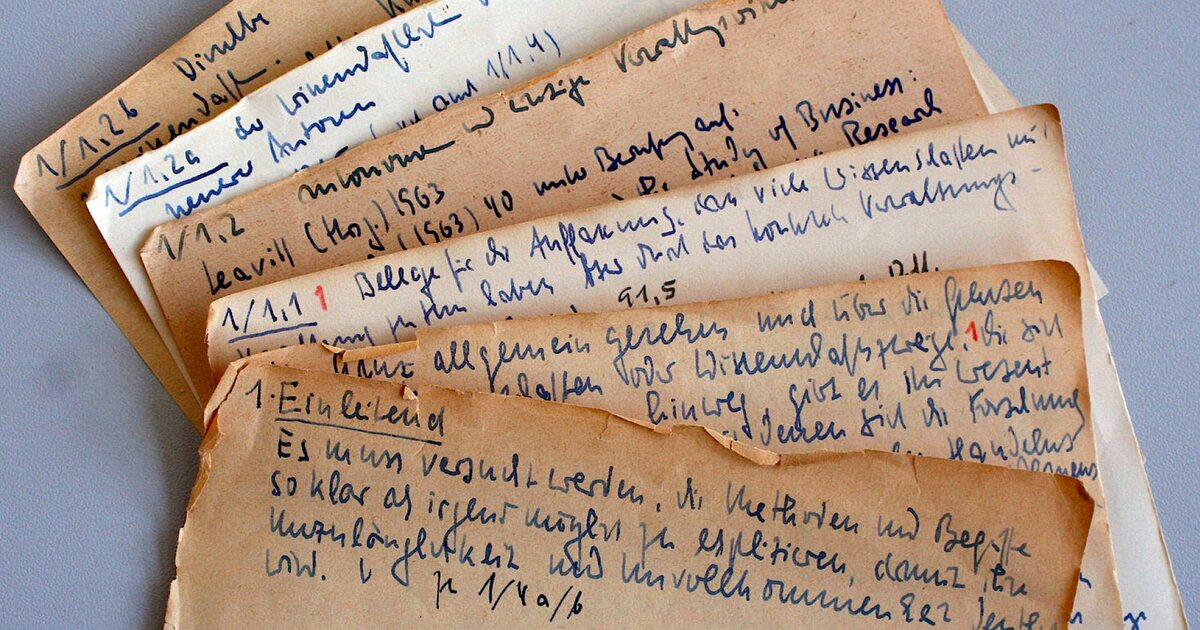
Fleeting and literature notes default into the Inbox — turn any note into a Project and it becomes a permanent Zettelkasten slip-box.

闪念与文献笔记默认存入 Inbox 卡片盒;新建一个项目可作为永久笔记卡片盒。

閃念與文獻筆記預設存入 Inbox 卡片盒;新增一個專案可作為永久筆記卡片盒。

Second Brain

第二大脑

第二大腦

Structure Projects however PARA calls for, and run CODE's full workflow — capture straight through to expression.

按 PARA 思路任意创建项目结构,实现 CODE 的笔记从捕捉到表达的知识管理流程。

按 PARA 思路任意建立專案結構,實現 CODE 的筆記從捕捉到表達的知識管理流程。

Design Thinking

设计思维

設計思維

Capture freely on an infinite canvas, then organize into Themes — the Double Diamond's diverge-then-converge process.

无限画布上自由记录,组织笔记创建主题;实现从发散到收敛的双钻问题思考与创新。

無限畫布上自由記錄,組織筆記建立主題;實現從發散到收斂的雙鑽問題思考與創新。

A native Markdown editor

原生 Markdown 编辑器

原生 Markdown 編輯器

Live highlighting, split preview, and three built-in themes — Light, Paper and Dark. Nothing to configure.

实时语法高亮、分离式预览,浅色、暖纸、深色三款主题全内置,没有要配置的东西。

即時語法醒目標示、獨立預覽,淺色、暖紙、深色三款主題全內建,沒有需要設定的東西。

Bring your Markdown

带着你的 Markdown 来

帶著你的 Markdown 來

.md files import into the Inbox for free, and your [[links]] come across as concepts. Export to Markdown whenever you want.

.md 文件免费导入 Inbox,[[双链]] 原样变成概念;随时导出 Markdown。

.md 檔案可免費匯入 Inbox,[[雙鏈]] 原樣變成概念;隨時匯出 Markdown。

*Creating Projects beyond the Inbox needs Pro: the permanent slip-box in Zettelkasten and the PARA structure in Second Brain. Everything else on these cards works in the free Inbox.

*在 Inbox 之外新建项目需要 Pro:即卡片盒笔记里的永久卡片盒,和第二大脑里的 PARA 结构。卡片上的其余功能在免费的 Inbox 里都能用。

*在 Inbox 之外新增專案需要 Pro:即卡片盒筆記裡的永久卡片盒,以及第二大腦裡的 PARA 結構。卡片上的其餘功能在免費的 Inbox 裡都能使用。

Feel it spark.

灵光涌现

靈光湧現

Start free — the Inbox is fully featured: editor, backlinks, graph, matrix, canvas and iCloud sync.

免费开始——Inbox 功能全开:编辑器、双链、图谱、矩阵、画布、iCloud 同步。

免費開始——Inbox 功能完整:編輯器、雙鏈、圖譜、矩陣、畫布、iCloud 同步。